Volunteer
FutureFund’s Volunteer module is a great way for parents to sign up for various volunteering opportunities for your organization.
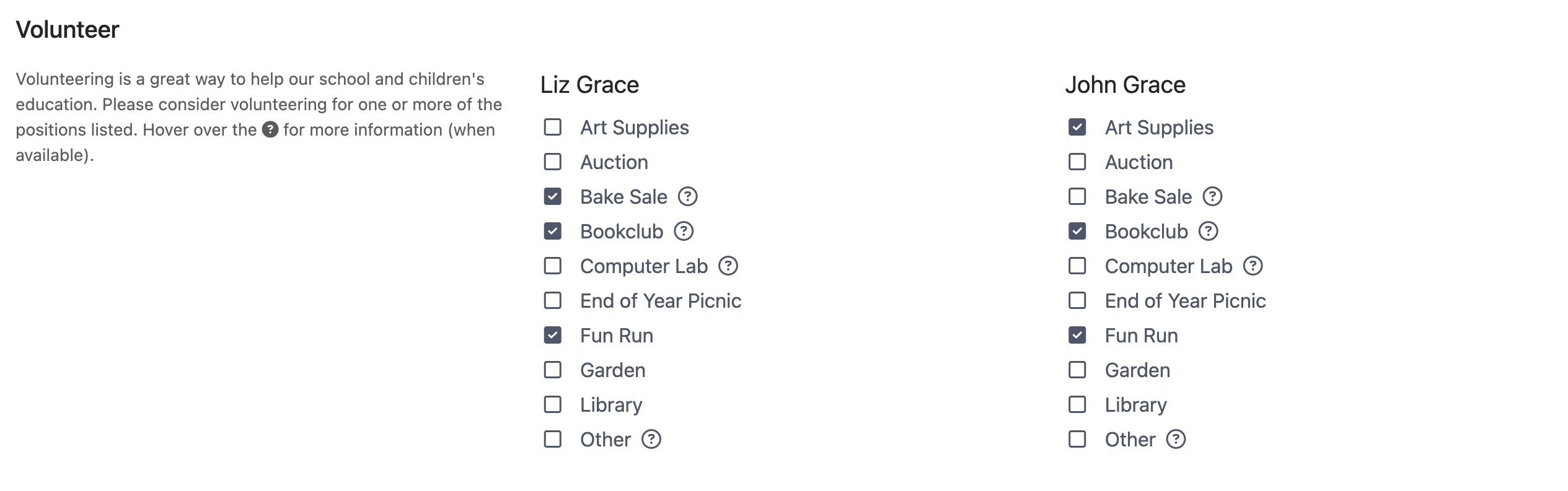
During First Step, each parent is able to volunteer for various positions. After First Step, parents can update their selections by visiting the Member site.
Sharing the Volunteer Page
Your site has its own Volunteer page that lists your volunteer positions. Parents don’t need to go through First Step to use it, so you can share the link any time you need more help, in a newsletter, an email, or a text.
The address is your site’s address followed by /member/volunteers. For example: yourschool.futurefund.com/member/volunteers.
- Anyone can open the page, even if they aren’t signed in. Visitors who aren’t signed in see a Sign in to volunteer button.
- Signed-in parents click Make changes, check the positions they want, and click Save changes. This works whether or not they have completed First Step.
- Parents can also reach the page from Volunteer in the Member site menu.
Volunteer appears in the parents’ menu when Publish volunteer sign-ups is checked in Account Settings > Volunteer and you have at least one active volunteer position.
Need to add someone who didn’t sign up themselves, like a grandparent, a teacher, or a name from a paper sign-up sheet? Admins can add them in a few seconds. See Adding One Volunteer.
Was this helpful?